


Process Control/Redundant
Monitoring solution
GENESIS64™ *1
Construct advanced, diverse monitoring system with SCADA
*1. For details on GENESIS64™,
please see the “ICONICS Automation Software Suite (L(NA)08785ENG)”.
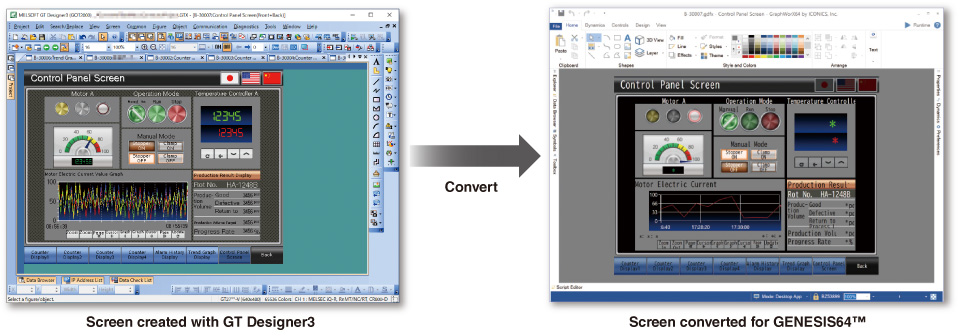
Equipped with standard screens essential for process monitoring
The MELSEC process control system consists of specialized controllers specifically designed for use in process automation. The CPUs are highly flexible utilizing standard automation control system features rather than DCS solutions that can be costly to replace and maintain.
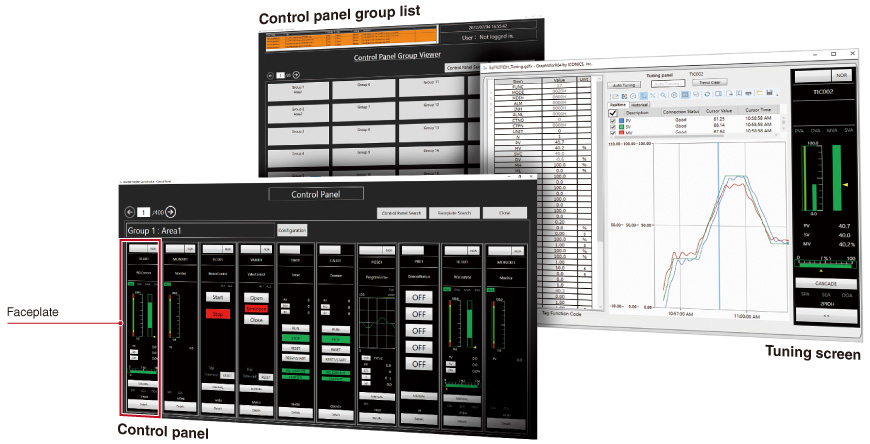
Automatic setting data generation from the GX Works3-created process program
Utilizing process programs created with the engineering software GX Works3, screens and settings such as communication tags are automatically generated for immediate use. *2 Time for setting can be reduced and system configuration is smoothly done.
*2. Supported with the MELSEC iQ-R Series only. To remotely monitor this screen via a web browser, please use Microsoft Edge ® (IE mode).
Extensive functions
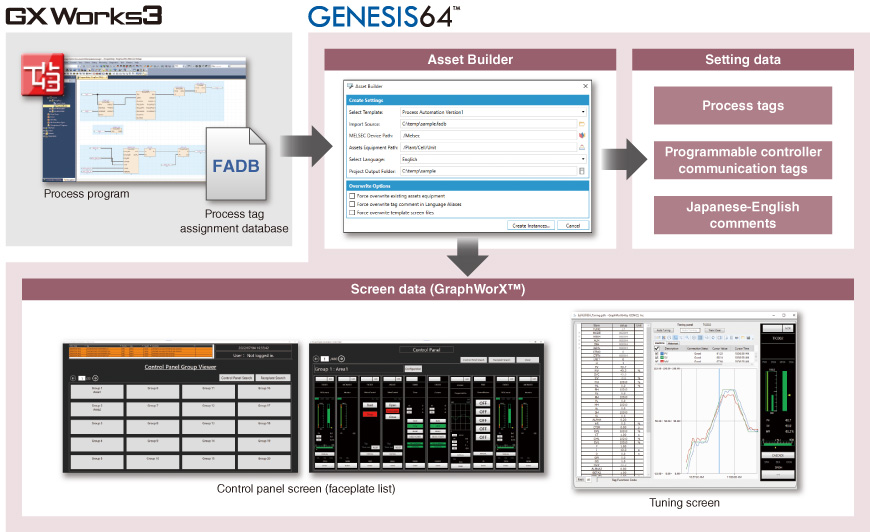
- Graphic creation/visualization
Stunning and user-friendly graphics can be created at a low cost using provided 2D, 3D *3 symbols and CAD data.
*3. GENESIS64™ Basic SCADA does not support 3D.
- Alarm visualization/notification
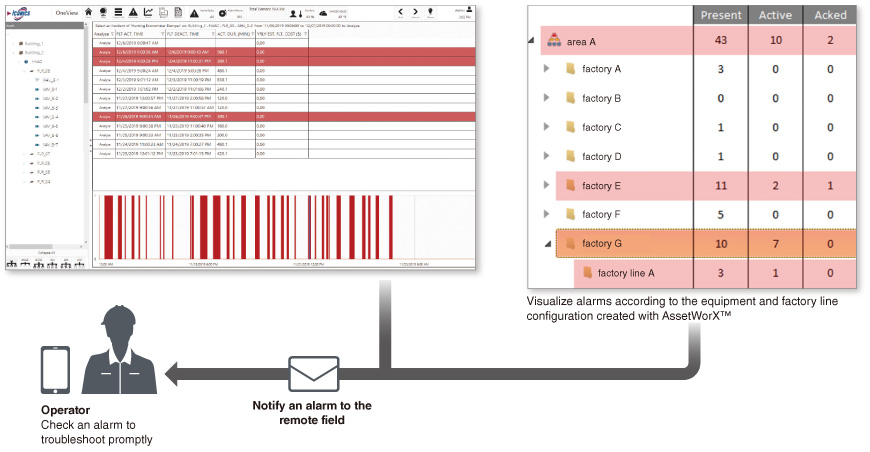
Notify your personnel of abnormal conditions and events in real time with ANSI/ISA-18.2 compliant features. The number of alarms for each selected factory line and equipment and the breakdown of alarm statuses can be easily checked. Alarms of process tags in GX Works3 can also be checked with simple settings.
- Open connectivity
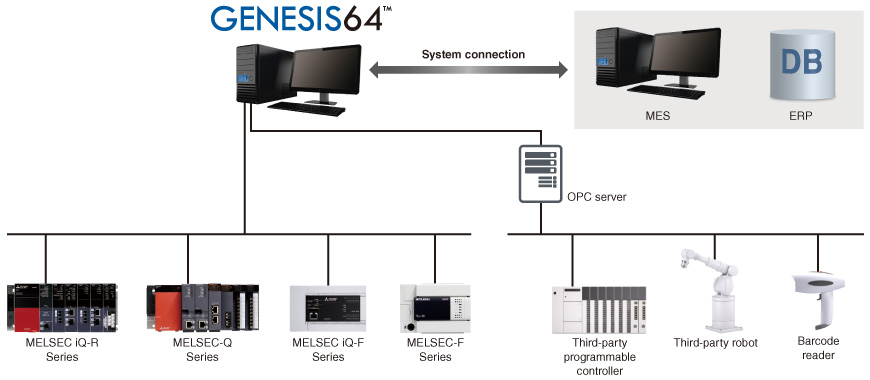
In addition to being able to directly connect with Mitsubishi Electric factory automation products, GENESIS64 also supports open industry-standard protocols such as OPC™, BACnet ® , and MODBUS ® , as well as various databases like SQL Server ® , Oracle ® , and ODBC.
- Server redundancy
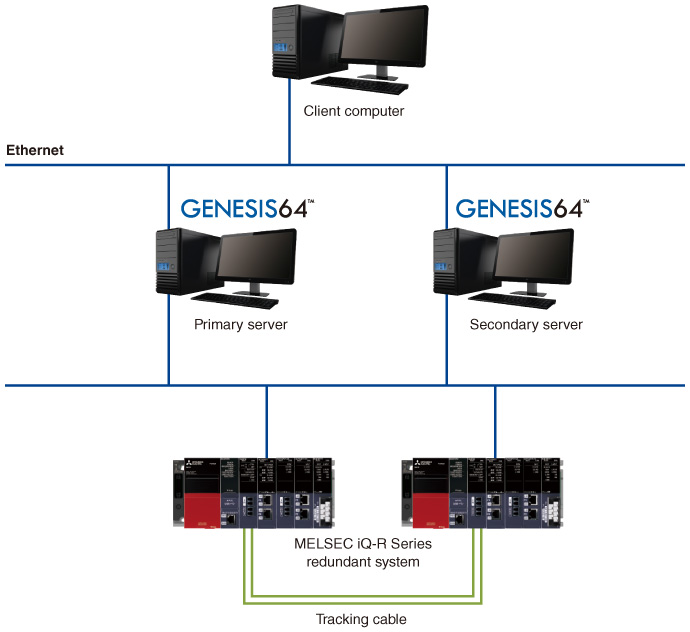
Redundant servers ensure continuous operation and highly reliable data collection even when an error occurs.
- Web-based monitoring
Remote monitoring via web browsers is possible. Installation of GENESIS64™ in the client computer is unnecessary.
- Trend display
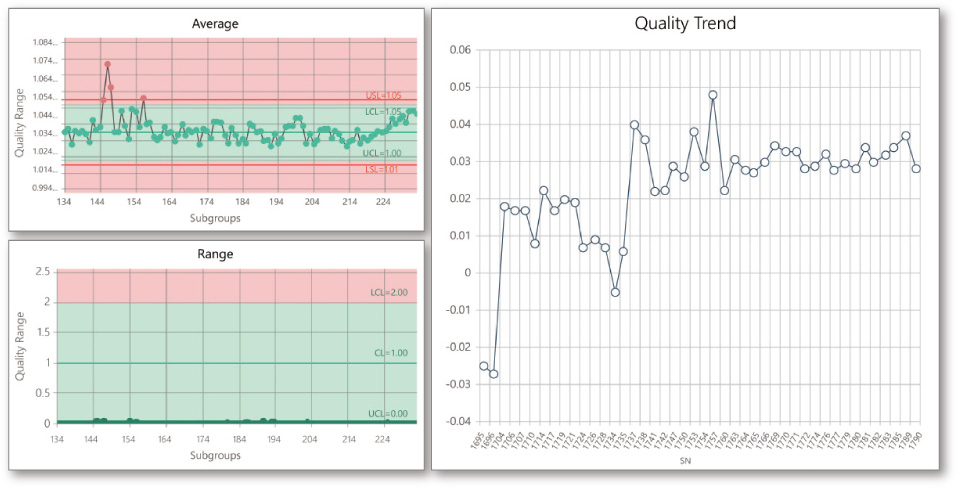
Real-time and historical trends are available. The trend display format can be modified while the system is running, such as adding or removing pens, adjusting the scale, pausing, and overlapping or splitting the view.
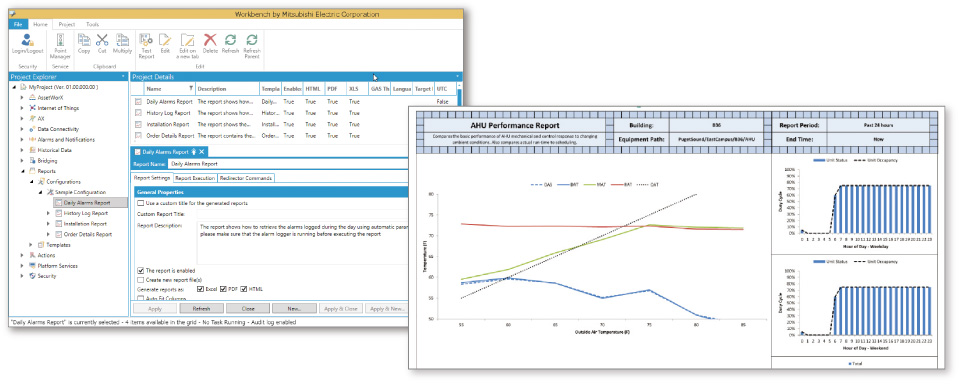
- Automated reporting
Turn volumes of server-stored data into manufacturing intelligence with the powerful reporting feature. Create reports by time or location in Excel ® , HTML, or PDF format.
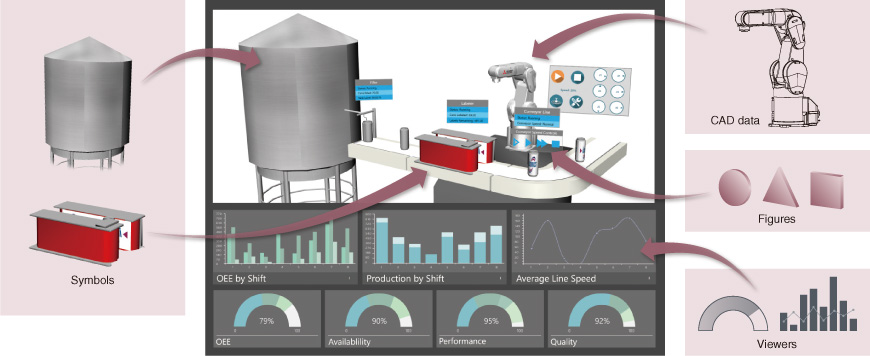
- GOT (HMI) screen conversion
GOT (HMI) screen data created with GT Designer3 can be converted to GENESIS64™ data. There is no need to create additional screens for GENESIS64™, reducing engineering time. It is possible to build a system that allows for on-site monitoring and operation with GOT, and remote monitoring in the office with GENESIS64™.